
Online Tennis and Squash Court Booker
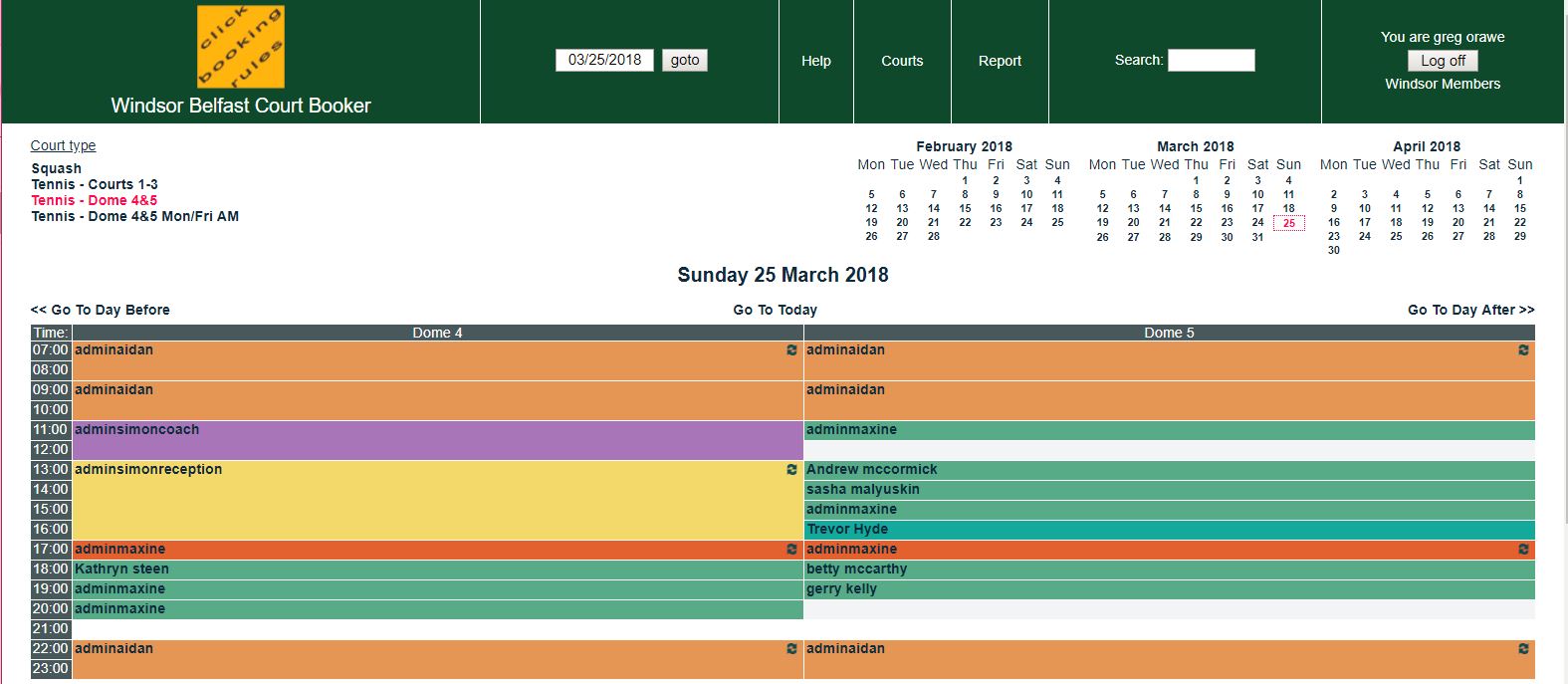
- Court Booker available 24 hours a day
- Web-based – accessible from anywhere
- Easy-to-use – you are booking tennis and squash courts right away
- Email confirmation of your booking, to your email inbox, and to your playing partners
- Full visibility of all bookings – tennis & squash
- Secure – access is controlled using usernames and individual passwords
Registration
Follow the three steps to register for an account and starting booking courts!
Account Setup
Click here to email Reception for an Account to be setup and a temporary password to get you going.
(clicking on the email link will bring up a new email; all you have to do is fill in First Name and Last Name and press ‘send’).
An email will then be sent to you containing a temporary password, as well as your User name (in the form of FirstName LastName).
Log In
Log into the site www.windsortennis.co.uk/courtbooker, and change your temporary password to one of your own choice.
Do this by clicking the grey ‘Log in’ button at top right, find your name in the 2nd column – over to the right on the same row you will see a grey ‘Edit’ button.
Click on this and in the Password field insert your new password as requested.
Finish by clicking ‘OK’
Book Court
Click an empty time slot on your desired court (tennis or squash), make changes to your bookings etc, so that you can get used to the system.
It is very easy to make additions, changes, and deletions on the WCB.